Before joining an IT course, most students check the fee, the duration, and the certificate. One question matters just as much: what will you actually do in class? The best IT institute in Sahiwal is the one where the honest answer is “you will use real tools and build real things from the start,” not “you will watch slides and take notes.” This article breaks down what a typical class at Corvit Sahiwal actually looks like, how practical training differs by course, and what every student should check before enrolling anywhere.
What Does a Typical IT Class at Corvit Sahiwal Look Like?
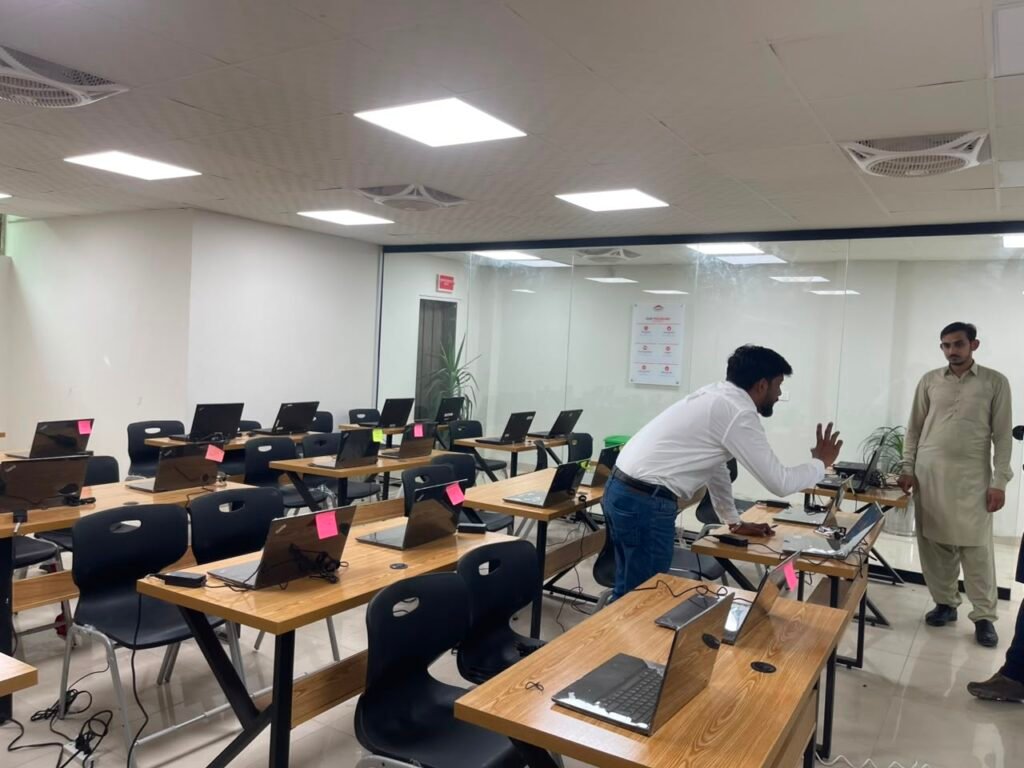
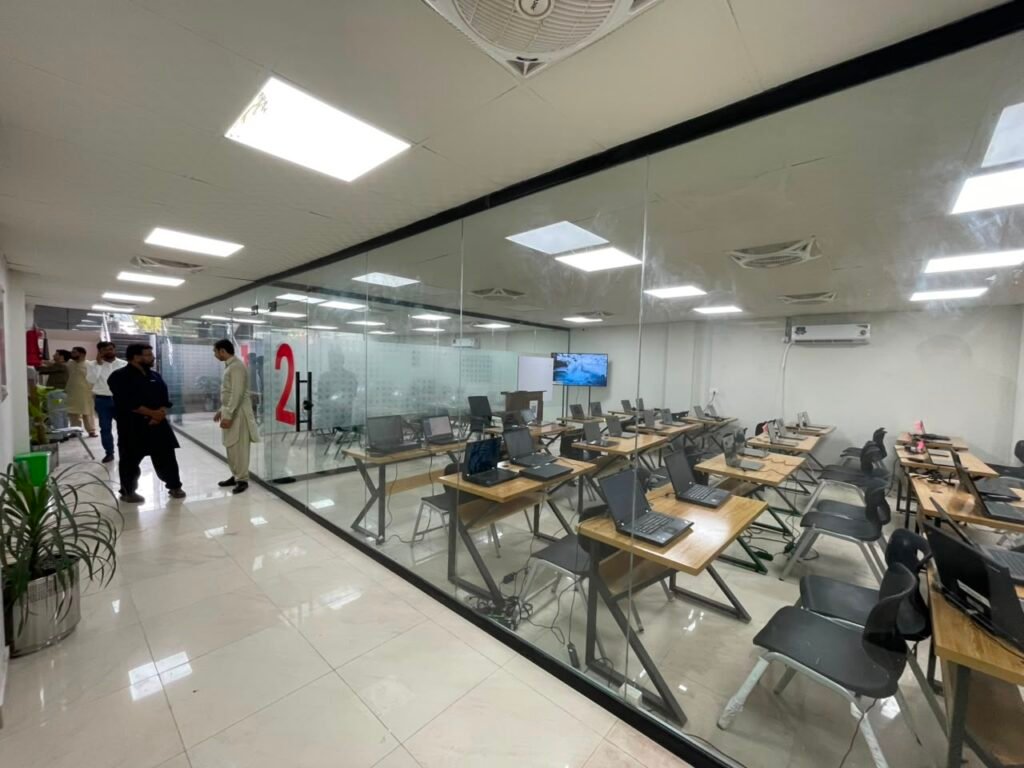
A typical class at Corvit Sahiwal follows a three-stage model: understand the concept first, watch a demonstration, then do it yourself with live instructor feedback.
In stage one, the instructor explains the concept and why it matters before anyone opens a piece of software or touches a tool. An SEO student learns what search intent means and why it affects which keywords are worth targeting. A cybersecurity student learns how a specific type of vulnerability occurs and why an attacker would look for it. A web development student learns how HTML elements structure a page before writing a single line of code. A graphic design student learns a design principle, such as visual hierarchy or contrast, before opening Photoshop. Starting with the why stops students from clicking through exercises without understanding what they are actually doing.
In stage two, the instructor demonstrates the process using the actual tool. The student watches a real keyword research workflow, a real webpage being built, a real security lab exercise, or a real campaign being set up. This closes the gap between abstract concept and concrete execution.
Stage three is where the real learning happens. Students attempt the task themselves. They make mistakes. The instructor catches errors in real time, corrects them, and explains why. Students try again with better understanding than they had after the demonstration. This cycle of learn, watch, try, fail, get feedback, and try again is what genuinely practical training means, and it is what separates a course that produces real skill from one that produces only completed attendance hours.
Practical Training Looks Different in Every Course
Asking “is the training practical?” is not precise enough. The better question is: what will I specifically be doing in class, with which tools, and what will I have produced by the end of each session? The answer differs significantly across Corvit Sahiwal’s six courses.
AI Class
In an AI class, students explore real AI tools, practice structuring effective prompts, build basic automation workflows, and work through applied AI projects using platforms like ChatGPT. Python fundamentals are covered as a hands-on component, not just as theory, with students writing and running basic scripts rather than only reading about what Python does. By the end of the course, students have built real automation workflows and developed practical fluency with AI tools they can apply immediately in any field. Full details are on the Artificial Intelligence course page.
Cybersecurity Class
In a cybersecurity class, students work in a controlled lab environment using real security tools. Kali Linux, Wireshark, Nmap, and Metasploit are the tools of the field, and students get hands-on time with each rather than only learning what they do from a slide. Lab sessions involve working through ethical hacking exercises and simulated security scenarios, building both tool familiarity and the methodological thinking behind how attackers and defenders approach the same system from opposite directions. Full details are on the Cybersecurity and Ethical Hacking (CEH) course page.
Web Development Class
In a web development class, students write actual code from the earliest sessions rather than watching it being written. They build sections of a real website progressively, encounter real errors, debug them, and understand why the fix works rather than just copying a solution. By the end of the course, a student has built a functioning website they can show as genuine portfolio evidence, not a tutorial project that exists only on a screen during class. Full details are on the Website Development course page.
SEO Class
In an SEO class, students research keywords using real tools, analyze a real or practice website for technical issues, and work through the same process an SEO professional uses when they take on a new client. Google Search Console, Google Analytics, Semrush, and Ahrefs are the tools students work with directly, not just hear about. By the end of the course, a student has produced a documented site audit they can show as a genuine portfolio piece. Full details are on the SEO course page.
Digital Marketing Class
In a digital marketing class, students work through real campaign planning exercises. They identify a target audience, set campaign objectives, draft ad concepts, learn how to set up and run ads on Google Ads and Meta Ads Manager, and read analytics to assess what the campaign is doing. The practical output is a documented mock campaign from brief through to analysis, which serves as immediate portfolio evidence. Full details are on the Digital Marketing course page.
Graphic Design and Video Editing Class
In a graphic design class, students open the software from the earliest sessions and produce real work rather than observing. Adobe Photoshop, Adobe Illustrator, Figma, and video editing tools are used directly to create social media graphics, branding pieces, and video content that builds into a portfolio over the course period. By the end, a student has a growing body of actual design and video work they can post publicly and show to clients or employers. Full details are on the Graphic Design and Video Editing course page.
Practical vs Theory: Why You Need Both
The strongest IT training model is not purely practical and not purely theoretical. It combines conceptual understanding with guided exercise and real project work, in that specific order.
Theory does three things that pure hands-on practice cannot. It explains why a technique works, which means a student can adapt when the situation changes rather than only following a memorized sequence of steps. It builds the foundational vocabulary that makes tool documentation, tutorials, and job descriptions comprehensible. And it trains students to solve new problems rather than only reproduce the ones they have been shown.
Practical training does three things that theory alone cannot. It builds execution ability through repetition and real-time error correction. It develops the muscle memory and tool familiarity that only comes from actually using software in real situations. And it produces genuine confidence, since a student who has built a real thing knows they can build it again.
The most useful line on this topic is a simple one: theory tells you what a tool does. Practice teaches you what to do when the tool does not work the way you expected. An institute that skips theory produces students who can follow familiar steps but freeze when something breaks. An institute that skips practice produces students who understand concepts but cannot execute. The right balance is fundamentals first, followed by demonstration, followed by real project work from the earliest possible session.
What Does a Student Actually Leave With?
The better question to ask before joining any IT course is not “how many hours is it?” but “what will I have built by the end?”
Hours are easy to sell. Portfolio work is harder to fake. A student who finishes a 120-hour course without a single completed piece of show-able work has effectively nothing they can use to convince an employer or a freelance client that they can do the job. A student who finishes a shorter course with two or three genuine, completed pieces of work is in a meaningfully stronger position regardless of the total hours.
Realistic practical outputs by course area include: a functioning website for web development, a documented SEO audit for SEO, a mock campaign from brief to analytics for digital marketing, a design portfolio of three to five pieces for graphic design and video editing, a set of documented lab exercises and a structured automation workflow for cybersecurity and AI respectively. These are the things that answer “what can you show me?” when a client or employer asks.
Pakistan’s Punjab Skills Development Fund explicitly evaluates training programs on whether they produce practical, employable skills alongside course completion, not just hours attended. This is the same standard every prospective student should apply when evaluating any IT institute in Sahiwal.
A Better Checklist Before Joining Any IT Institute
Use these questions before paying at any IT institute in Sahiwal, not just Corvit Sahiwal. A legitimate institute answers all of them clearly.
Will I personally use the tools in class, or will I mainly watch the instructor? How much of each session involves hands-on practical work as opposed to lectures? Will I complete real projects during the course? Can I make mistakes in class and get live instructor feedback? Will I have portfolio pieces by the end of the course? Are lab sessions or practical exercises a confirmed part of the curriculum? Can the institute show me examples of what previous students produced? Does the course teach the tools and versions currently used in industry?
Getting clear, specific answers to these questions before enrolling tells you far more about the course’s actual quality than the fee, the duration, or the marketing materials.
What This Means at Corvit Sahiwal
Corvit Sahiwal’s training model is built around the fundamentals-first, tools-next, real-projects-throughout approach described in this article. Students use real tools from the earliest sessions, work through guided exercises with live instructor feedback, and progressively build toward portfolio-worthy project outputs across all six courses.
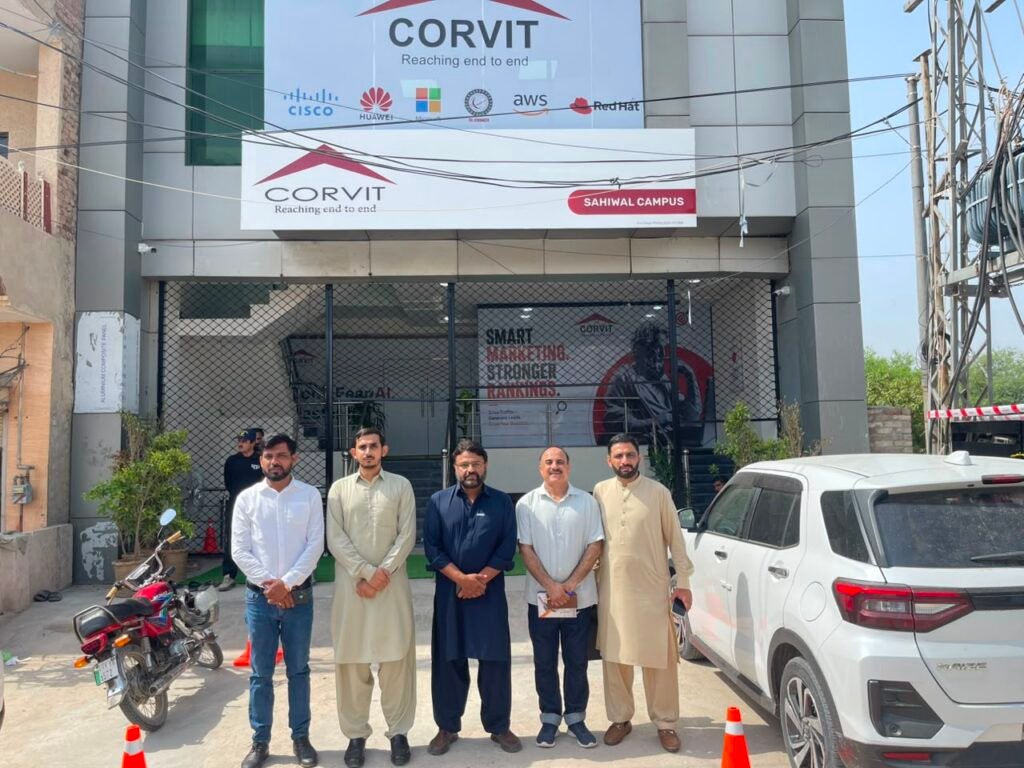
This is not unique to any one IT institute, and this article is not claiming it is. It is describing what good, practical IT training looks like and confirming that this is the model Corvit Sahiwal’s courses are built around. If you want to see it for yourself before committing, Corvit Sahiwal is located at City Star Plaza, Muhammad Pur Road, Sahiwal. Visit the campus, ask the questions in the checklist above, and make your decision based on what you see and hear directly.
Explore all current courses at Corvit Sahiwal’s training page and get in touch to ask about current batch schedules and demo session availability.
Frequently Asked Questions
What does a typical IT class at Corvit Sahiwal look like?
A typical class follows a three-stage model: concept explanation first, instructor demonstration second, and students doing it themselves with live feedback third. The practical work starts from the earliest sessions, not only in the final weeks, across all six courses.
Is IT training at Corvit Sahiwal practical or theory-based?
Both. Theory comes first to build understanding, followed by demonstration and then hands-on practical work. The balance is weighted toward practical work, with real tools and real project output built into the training across every course.
What will I build by the end of a Corvit Sahiwal course?
It depends on the course. Web development students build a functioning site. SEO students produce a documented audit. Digital marketing students complete a mock campaign. Graphic design students build a portfolio of design and video pieces. AI and cybersecurity students produce documented automation workflows and lab exercises respectively.
How much of an IT class is hands-on vs lectures?
The specific ratio varies by course and session topic, but Corvit Sahiwal’s training model is built around practical work as the primary activity rather than extended passive lectures. Concept explanation and demonstration are shorter components that lead into student-led practical exercises.
What tools do students use in Corvit Sahiwal classes?
Tools vary by course: Kali Linux, Wireshark, and Nmap for cybersecurity; HTML, CSS, JavaScript, and WordPress for web development; Google Search Console, Semrush, and Ahrefs for SEO; Google Ads and Meta Ads Manager for digital marketing; Photoshop, Illustrator, and Figma for graphic design; and AI platforms and Python for the AI course.
What is the best IT institute in Sahiwal for practical training?
Corvit Sahiwal is built around hands-on, project-based training across all six of its current courses. Students use real tools, complete real projects, and receive live instructor feedback throughout rather than only in dedicated practical sessions at the end of the course.
Final Thoughts
The best IT institute in Sahiwal for practical training is the one where students leave each session having produced something real, made mistakes, and improved through live feedback. Corvit Sahiwal’s six courses are built around exactly this model, from the AI and cybersecurity labs through to the design portfolio and web development projects. Get in touch with Corvit Sahiwal to find out which course fits your goals and when the next practical batch starts.